On this page
We have a lot of respect for GrandPerspective. It was the first app that turned abstract folder sizes into a concrete visual map. It's open-source, it's lightweight, and it's completely free.
But in 2025, on Apple Silicon Macs running the latest macOS, the experience feels dated. We kept using it and kept thinking: this could be modernized.
That's why we built DissectMac.
What GrandPerspective does right
It's GPL open-source. That matters to many users. You can see exactly what the code does, and it'll never be locked behind a paywall.
The treemap is accurate. Each file is a rectangle proportional to its size, with no visual tricks.
It's completely free. No trials, no feature restrictions, no nag screens.
If those are your priorities, keep using GrandPerspective. It's solid software.
Where it feels dated
Navigation. To open a folder, you right-click and select from a menu. To go back up, another menu. There's no fluid click-to-zoom interaction that modern apps have trained us to expect.
The interface. On a Retina display alongside apps like Arc or Figma, GrandPerspective's window chrome feels like a different era. It works, but it doesn't feel native to current macOS.
Modern macOS quirks. APFS containers, "System Data," and heavily sandboxed apps create storage mysteries that older tools weren't designed to highlight.
What we built differently
We wanted:
-
Fast feedback. DissectMac uses async scanning optimized for Apple Silicon. Scans complete quickly on modern NVMe storage.
-
Fluid navigation. Click a block to open it. Click the breadcrumb to go back up. Scroll to zoom. It feels like a modern app because it was built as one.
-
"System Data" focus. The whole point of DissectMac is answering "where did my storage go?" We specifically tuned it to highlight the hidden caches and container folders that confuse people.
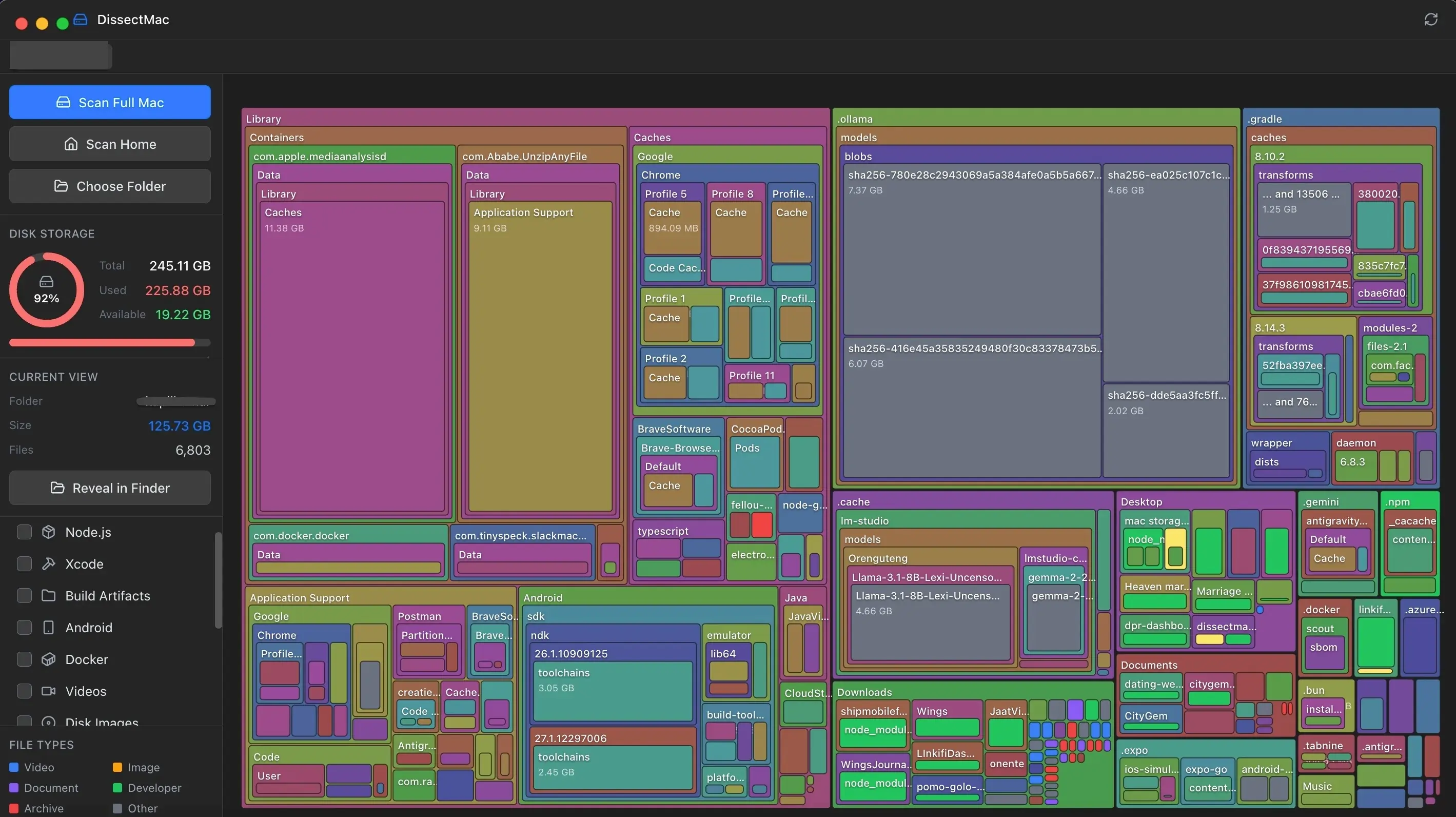
Side by side
| Aspect | GrandPerspective | DissectMac |
|---|---|---|
| Price | Free (GPL) | Free / Pro available |
| Scan Speed | Moderate | Fast |
| UI Feel | Classic | Modern |
| Open Source | Yes | No |
| Navigation | Menu-based | Fluid zoom/click |
| Apple Silicon | Supported | Native |
Which should you use?
Use GrandPerspective if: Open-source licensing matters to you, or you're comfortable with its interface.
Use DissectMac if: You want a modern experience on Apple Silicon and prefer fluid, click-based navigation.
We still keep GrandPerspective installed for the occasional comparison. It's a classic. But for daily use, we use what we built.
More guides
Compare
DaisyDisk Alternatives: Free Disk Analyzers We've Actually Tested
The best free DaisyDisk alternatives for Mac in 2026, compared: DissectMac, GrandPerspective, PocoDisk, OmniDiskSweeper, Disk Inventory X and SquirrelDisk.
Compare
CleanMyMac X Has a Yearly Subscription. Here's Our Alternative.
Not everyone wants to pay a recurring fee to clean their hard drive. Here's why we built DissectMac as a one-time purchase alternative to CleanMyMac X.
Speed
Why Is My Mac So Slow? 8 Causes and How to Fix Each One
A slow Mac usually has one of 8 causes: a full disk, memory pressure, a runaway process, login items, heat or old hardware. Find yours in 5 minutes and fix it.
System Data
What Is "Other" in Mac Storage, and How Do You Clear It?
'Other' in Mac storage is caches, logs, snapshots, backups and anything macOS can't categorise, renamed System Data in macOS 12. What's in it, how to clear it.