DissectMac Pro · Mac uninstaller
The Mac uninstaller that shows you what it's deleting.
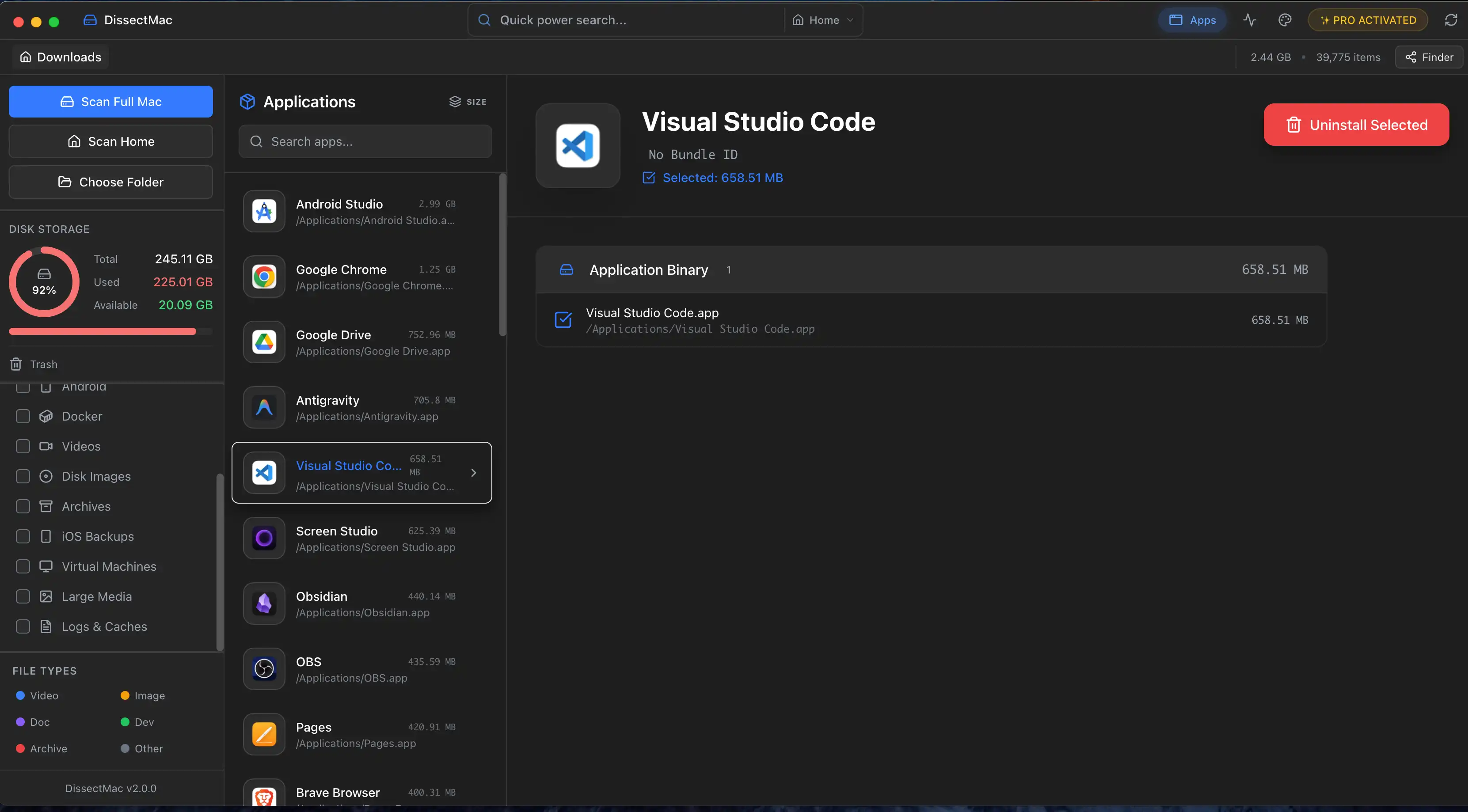
Pick an app. DissectMac lists every cache, container, preference file and launch agent it owns, with sizes and paths. Remove them together in one click, or keep what you want. $12.99 once, no subscription, nothing leaves your Mac.
One-time payment · 15-day money-back guarantee
Not sure yet? Try the free scanner first
Dragging an app to the Trash removes one file
The .app bundle goes. Everything the app created while you used it stays in your Library folder, which Finder hides by default. A removed game, video editor or virtual machine app can keep tens of gigabytes there for years, and it all counts as System Data.
Finding those folders by hand means opening six Library folders and matching names to an app that no longer exists. The uninstaller does that search for you and shows you the result before anything moves.
The full manual method is in our guide to uninstalling apps on Mac completely.
| Where leftovers live | What's in it | Typical size |
|---|---|---|
~/Library/Application Support | Databases, downloads, saved state, plug-ins | MB to tens of GB |
~/Library/Caches | Temporary files the app rebuilds | MB to GB |
~/Library/Containers and Group Containers | Sandboxed app data, shared with extensions | MB to GB |
~/Library/Preferences | Settings (.plist files) | KB |
~/Library/LaunchAgents, /Library/LaunchDaemons | Background helpers that start at login | KB, but they keep running |
~/Library/Logs, Saved Application State | Log files, window positions | KB to MB |
How it works
Step 1
Pick the app
Choose any app you installed. Apple's own apps are protected by macOS and aren't offered.
Step 2
Review what it found
The app and every related file it owns, each with its size and full path. Untick anything you want to keep.
Step 3
Remove them together
Everything goes to the Bin in one step, so you can put a file back if you change your mind.
Also in Pro
Already deleted the app? Clean up what it left.
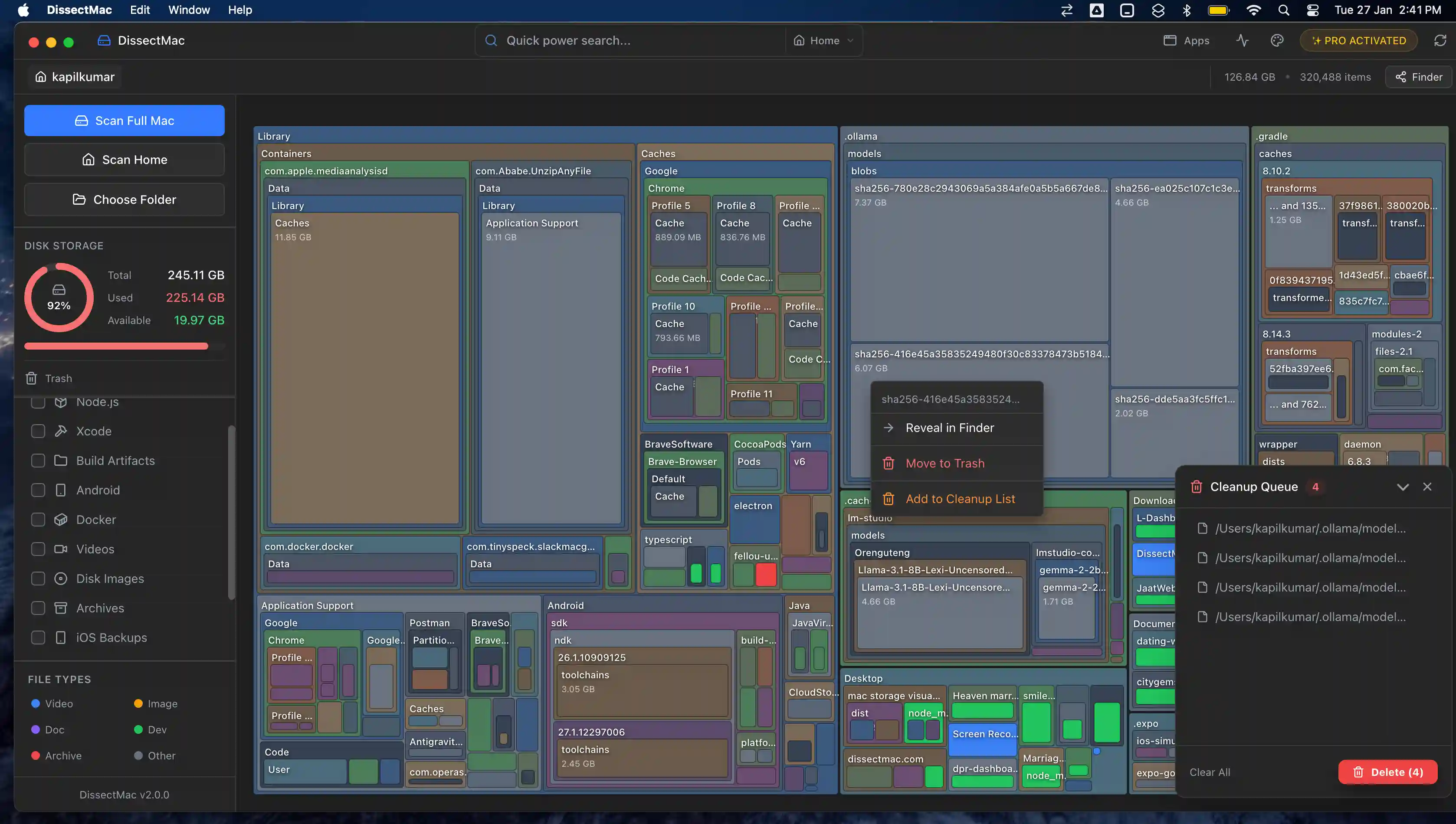
Leftover cleanup scans your Library for folders whose app is no longer installed: the Adobe suite you removed two laptops ago, the game launcher, the trial you forgot. It shows what's inside each one, with sizes, and moves them to the Bin in one click.
This is one of the usual reasons the System Data bar in Storage settings grows. See why System Data gets so big.
How it compares
Honest version: if all you want is a free drag-and-drop uninstaller, AppCleaner is good and we say so in our guides. DissectMac is for when you also want to see where your space went and get it back.
| DissectMac Pro | AppCleaner | CleanMyMac | |
|---|---|---|---|
| Price | $12.99 once | Free | Yearly subscription |
| Removes app with its leftover files | Yes | Yes | Yes |
| Finds leftovers from apps deleted earlier | Yes | No | Yes |
| Storage map of the whole drive | Yes, free | No | Yes |
| Account required | No | No | Yes |
Competitor details as of September 2026, from their websites. See our full CleanMyMac comparison.
Questions
- Is the uninstaller free?
- The storage map, large-file finder, search and live monitor are free with no time limit. The uninstaller and leftover cleanup are part of DissectMac Pro, a one-time payment of $12.99 with a 15-day money-back guarantee.
- Does it work with apps from the Mac App Store?
- Yes. App Store apps keep their data in ~/Library/Containers and Group Containers. The uninstaller lists those alongside the app bundle so they go together. Your purchase stays on your Apple account, so you can reinstall from the App Store at any time.
- Can it remove built-in Apple apps like Safari or Mail?
- No. Apps that ship with macOS are protected by System Integrity Protection and no uninstaller can remove them safely. DissectMac won't offer to.
- What if I already deleted the app?
- Use the leftover cleanup. It scans your Library for folders whose app is no longer installed, shows what's inside with sizes, and moves them to the Bin in one click.
- Does anything leave my Mac?
- No. Scanning, listing and deleting all happen on your Mac. There's no account, no upload and no list of your files on our servers.
- Is deleting these files safe?
- You review the list before anything moves, and everything goes to the Bin rather than being erased, so you can put a file back. Deleting an app never cancels its subscription; cancel that separately first.
See what your apps left behind.
The storage map is free and shows you everything. Pro removes it for $12.99, once.
One-time payment · 15-day money-back guarantee
Not sure yet? Try the free scanner first