On this page
- Before you uninstall Java
- See which Java versions are installed
- How to uninstall Java on Mac (Oracle Java 8 from java.com)
- Uninstall an Oracle JDK
- Uninstall Java installed with Homebrew
- Remove the files Java leaves behind
- Uninstall Java with DissectMac
- Is it safe to uninstall Java on Mac?
- Why does the java command still work after I uninstalled Java?
- How do I uninstall an old Java version but keep the newest?
- Do I need Java on my Mac?
To uninstall Java on a Mac, delete Oracle's Java plug-in and Control Panel with three sudo rm commands in Terminal, then delete each JDK folder in /Library/Java/JavaVirtualMachines. If you installed Java with Homebrew, remove it with brew uninstall instead. Java isn't an app in your Applications folder, so dragging something to the Trash won't do it.
Our guide to uninstalling apps on Mac covers ordinary apps; this one covers Java's own pieces.
Before you uninstall Java
- Check what still needs it. Development tools such as IntelliJ, Android Studio builds, Maven or Gradle projects, Minecraft Java Edition servers and older business apps may depend on a particular Java version. Some bring their own runtime; others use the one you're removing.
- Note your JAVA_HOME. If your shell startup file (
~/.zshrc,~/.zprofileor~/.bash_profile) setsJAVA_HOMEto a version you delete, update or remove that line afterwards. - Have an administrator password ready. Every Oracle step below needs one.
See which Java versions are installed
Open Terminal and run Apple's java_home tool with -V:
/usr/libexec/java_home -V
It lists every JDK and JRE macOS can find, with its version, vendor and folder. To see which one runs by default, use java -version.
| Folder you see | Installed by |
|---|---|
/Library/Java/JavaVirtualMachines/jdk-<version>.jdk |
Oracle JDK installer |
/Library/Java/JavaVirtualMachines/temurin-<version>.jdk |
Eclipse Temurin, from adoptium.net or the Homebrew temurin cask |
/Library/Java/JavaVirtualMachines/openjdk.jdk linking into /opt/homebrew or /usr/local |
Homebrew openjdk formula |
/Library/Internet Plug-Ins/JavaAppletPlugin.plugin |
Oracle Java 8 (the JRE from java.com) |
The Java 8 JRE plug-in doesn't always show in the java_home list. If you see a Java icon at the bottom of System Settings, it's installed.
How to uninstall Java on Mac (Oracle Java 8 from java.com)
These are Oracle's own steps for the Java runtime from java.com:
-
Open Finder, go to Applications > Utilities and open Terminal.
-
Run these three commands, one at a time. They delete Java permanently, and macOS asks for your password:
sudo rm -fr /Library/Internet\ Plug-Ins/JavaAppletPlugin.plugin
sudo rm -fr /Library/PreferencePanes/JavaControlPanel.prefPane
sudo rm -fr ~/Library/Application\ Support/Oracle/Java
The first removes the Java runtime and browser plug-in, the second removes the Java pane in System Settings, and the third removes Java's deployment cache and settings.
Oracle warns not to delete the Java tools in /usr/bin. That folder belongs to macOS, and Apple puts it back with the next update anyway.
Uninstall an Oracle JDK
Oracle's JDK installer puts each version in its own folder in /Library/Java/JavaVirtualMachines, named after the version, such as jdk-21.jdk. To remove one:
cd /Library/Java/JavaVirtualMachines
sudo rm -rf jdk-21.jdk
This deletes that JDK permanently. Swap in the exact folder name from java_home -V, and repeat for each version you want gone. Run /usr/libexec/java_home -V again to check.
Uninstall Java installed with Homebrew
Homebrew keeps track of what it installed, so use Homebrew to remove it rather than deleting folders. First see what you have:
brew list | grep -i -E 'jdk|temurin|zulu|openjdk'
Then remove it by the name you installed it with:
- Temurin cask:
brew uninstall --cask temurin. If you installed a versioned cask such astemurin@21, use that name. - openjdk formula:
brew uninstall openjdk(oropenjdk@21and so on). If you followed Homebrew's caveat and linked it into the system folder, also delete the link withsudo rm /Library/Java/JavaVirtualMachines/openjdk.jdk.
Temurin installed from adoptium.net's .pkg (not Homebrew) lives in /Library/Java/JavaVirtualMachines/temurin-<version>.jdk, so remove that folder with sudo rm -rf as for an Oracle JDK.
Remove the files Java leaves behind
Open each with Go > Go to Folder in Finder and delete the Java items you find:
| Location | What's there |
|---|---|
~/Library/Application Support/Oracle/Java |
Deployment cache and settings (Oracle's third command above) |
/Library/Java/JavaVirtualMachines |
Any JDK folders you didn't remove |
~/.zshrc, ~/.zprofile, ~/.bash_profile |
JAVA_HOME or PATH lines pointing at a removed JDK (edit, don't delete the file) |
Uninstall Java with DissectMac
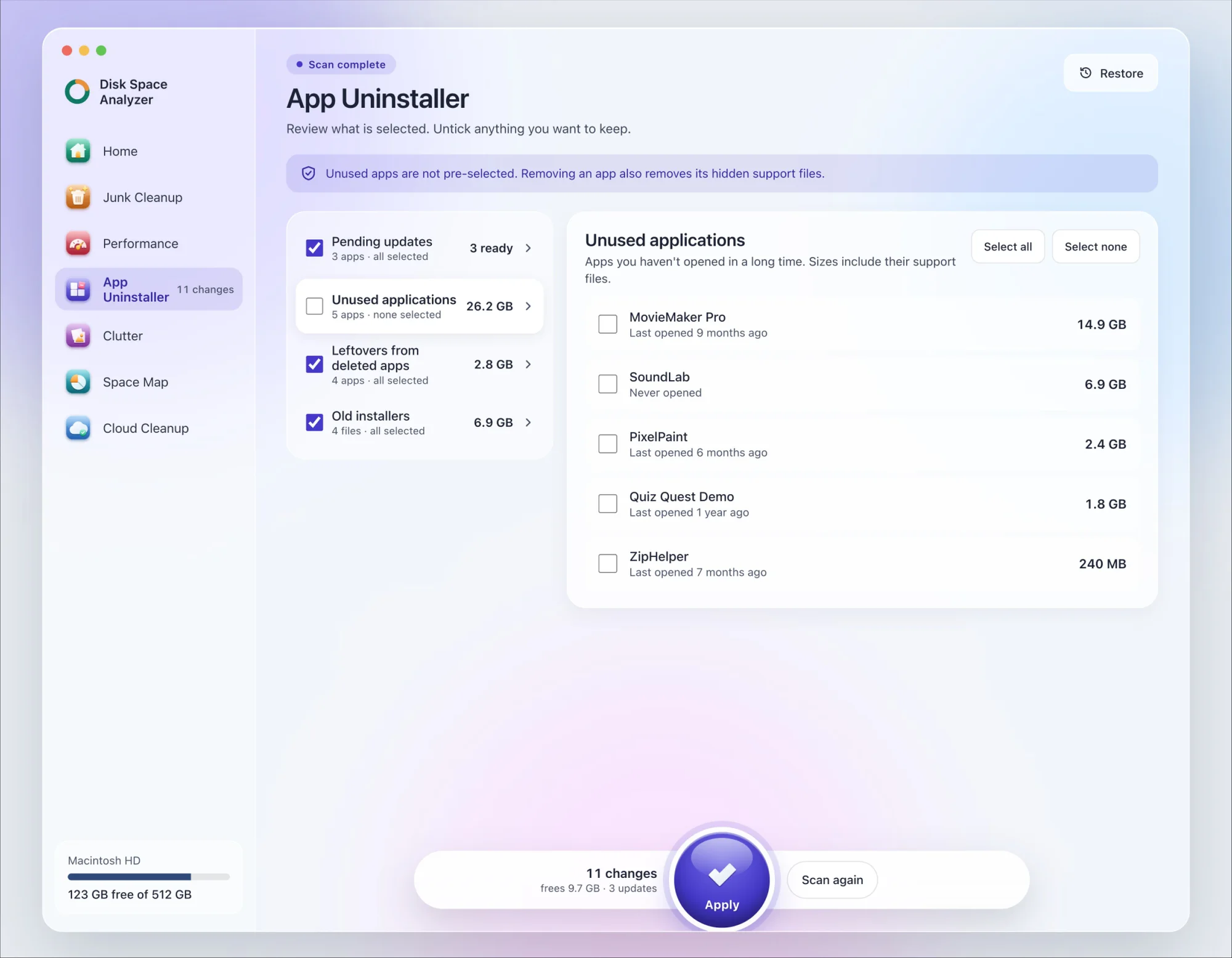
We make DissectMac, so this is our tool. App Uninstaller does the Library search for you, so you don't have to visit each folder above.
- Open DissectMac, go to App Uninstaller and press Scan.
- If Java appears in the list of applications, tick it.
- Press Apply. Apps go together with their hidden support files. The Java plug-in, the Java pane in System Settings and the JDKs in
/Library/Java/JavaVirtualMachinesaren't apps, so remove them with the steps above.
Already deleted Java? Leftover files from apps show up in the Leftovers from deleted apps group instead. The scan is free; removing from inside the app is part of Pro, $19.99 once, and anything removed is kept for 30 days, so Restore brings it back.
Is it safe to uninstall Java on Mac?
Yes. macOS itself doesn't need the Java you installed. Apps and tools that rely on it will stop working until you install a Java version again, so check what uses it first.
Why does the java command still work after I uninstalled Java?
Because another JDK is still installed, often a second version or one from Homebrew. Run /usr/libexec/java_home -V to list what's left. The java file in /usr/bin is part of macOS and stays even with no Java installed, but it has no runtime to start.
How do I uninstall an old Java version but keep the newest?
Run /usr/libexec/java_home -V, then delete only the older folders in /Library/Java/JavaVirtualMachines with sudo rm -rf, or brew uninstall the older Homebrew version. Each version is separate, so the others keep working.
Do I need Java on my Mac?
Only if an app or tool you use asks for it. Web browsers no longer run Java applets, and macOS doesn't include Java, so most people can remove it with nothing breaking.
More guides
Uninstall
How to Uninstall Apps on Mac Completely (Leftovers Included)
How to uninstall apps on a Mac properly: Finder, Launchpad, official uninstallers, apps that won't delete, and the ~/Library leftovers most guides skip.
Uninstall
How to Uninstall Zoom on Mac
Uninstall Zoom on Mac from Zoom's own menu: Zoom Workplace > Uninstall Zoom Workplace. Then clear the Keychain entries and Library files it leaves.
Uninstall
How to Uninstall Xcode on Mac
Uninstall Xcode on Mac completely: remove simulator runtimes first, delete Xcode.app, then clear DerivedData, Archives and device support in ~/Library/Developer.
Uninstall
How to Uninstall Steam on Mac (and Its Games)
How to uninstall Steam on Mac: remove games inside Steam, quit it, drag it to the Trash, then clear the Steam folder in ~/Library where your games live.